Turn your signature into a font — your handwriting, letter by letter.
Not a signature-image generator, and not your joined-up flourish as one glyph: HandScript turns a photo of your own handwriting into a real installable font, so “Thanks so much, Sam” at the end of a letter or card is typed in your writing — each letter the way you wrote it.
Free account · free to make and preview · $9 one-time per font to download TTF, OTF and WOFF2 · 14-day refund
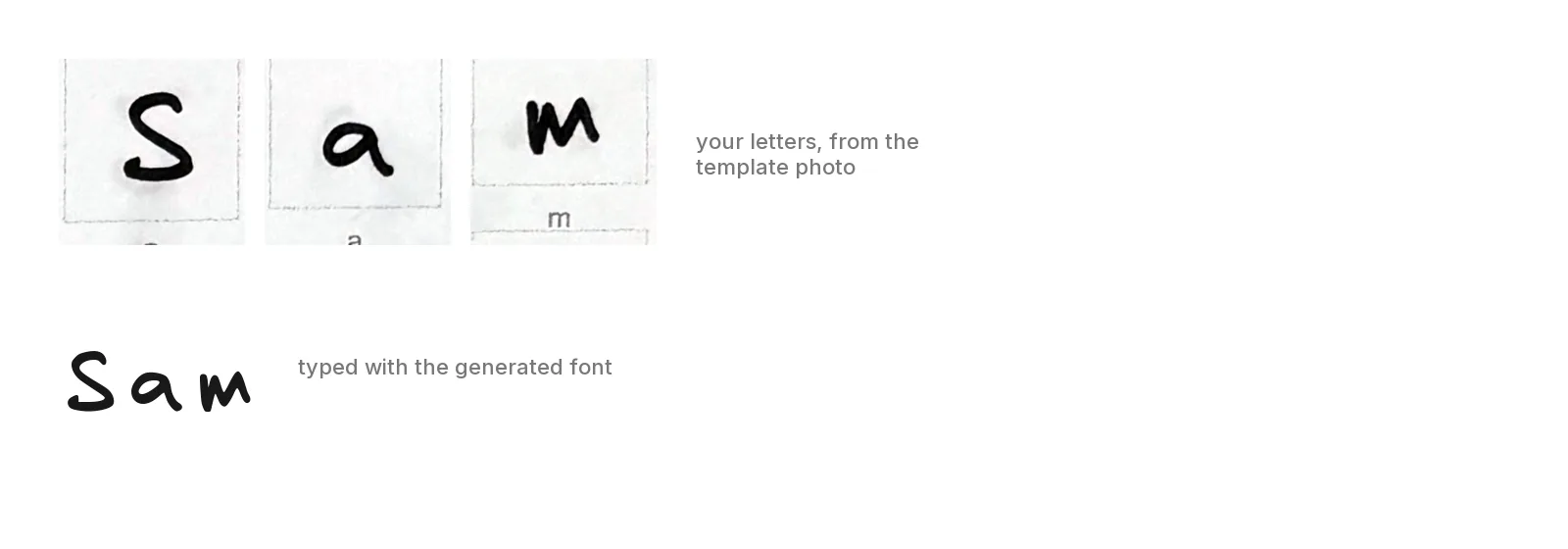
A signature font versus a signature image
Most “signature font” tools are image generators or pre-made script fonts. Here is what a font made from your own handwriting is, and isn't.
What you get
- A real font file (TTF, OTF, WOFF2) containing your own letters, digits and punctuation, traced from a phone photo of a filled-in template.
- Type your name, a sign-off or a whole note in it, in any app that lists your installed fonts — Word, Pages, Photoshop, Cricut Design Space on desktop, Procreate (import the TTF/OTF), or a website via
@font-face. - Free to make and preview. $9 once, per font, to download the files.
What it is not
- Not your joined-up signature as a single glyph. Letters stay separate, like careful print — see the FAQ below.
- Not an e-signature service. It doesn't verify identity or keep an audit trail.
- Not visible to most email recipients — mail apps show the reader's own fonts, so use an image for email signatures.
What it looks like in use
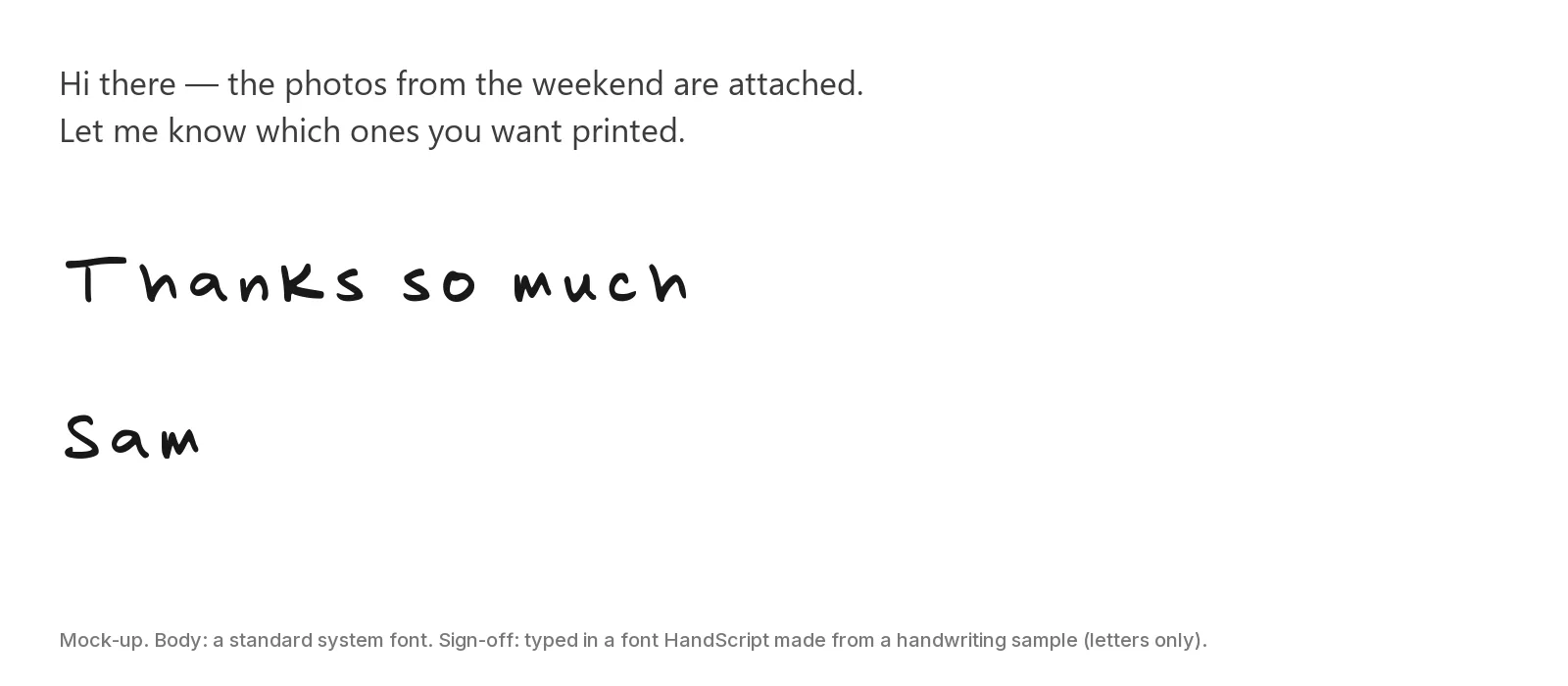
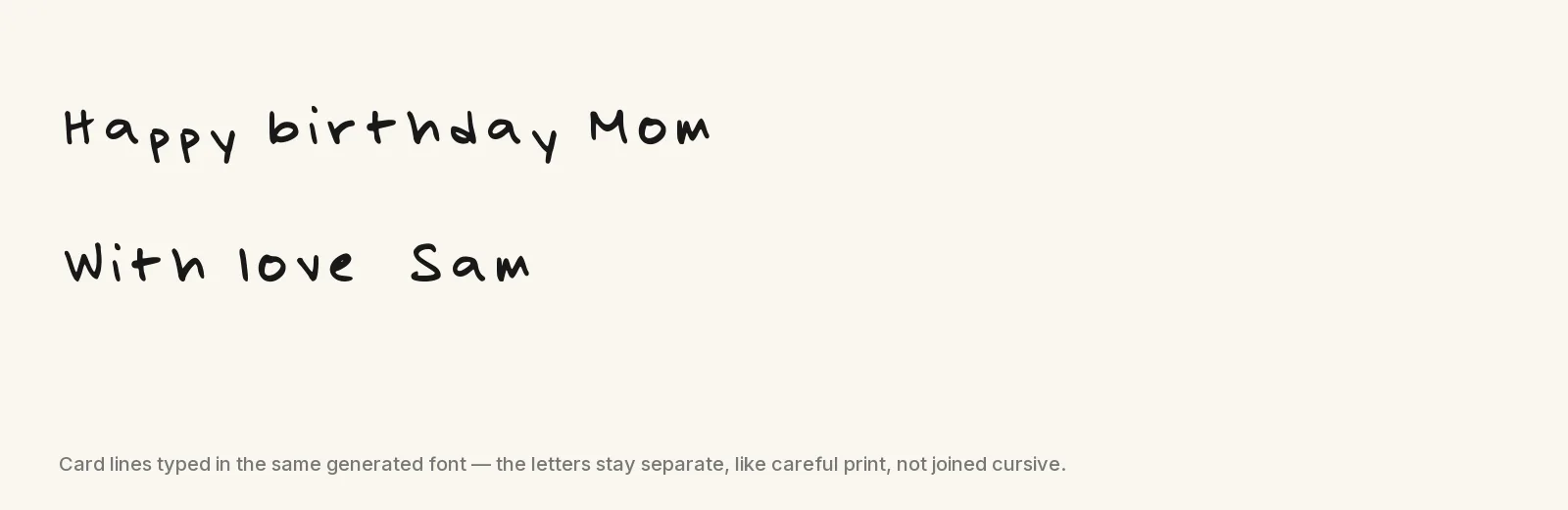
Both samples are typed with the same font as the letters above — generated from one phone photo; the glyphs are untouched. They use letters only: on this older test photo the digits and punctuation came out poorly, which is exactly what the free preview sheet is for.
How to make it
Same three steps as any HandScript font, with one signature-specific tip.
Print the template
One US Letter sheet with a box for each of the 95 printable characters and four corner marks. Print at 100%.Get the template →Write it in your signing hand
Thick black marker, one character per box. Write the capitals and the letters of your name the way they look when you sign, not the way you print a list — but keep every stroke inside its box; anything crossing the border is cut off. Use handwriting that's yours or that you have the right to use: imitating someone else's writing or signature to deceive is against our terms.Photograph, upload, preview, download
A phone photo of the flat sheet, square-on. HandScript builds the font in under a minute; check every character on the free preview sheet, then download for $9.Upload a photo →
The full detail — pen choice, photo tips, what the pipeline does with the photo — is on the homepage.
Pricing
Free to make and preview. $9 one-time per font to download the TTF, OTF and WOFF2.
No subscription
Paid once per font. Nothing renews, and you only pay once you've seen the preview.
14-day full refund
If your font didn't come out the way you hoped, email us within 14 days and we refund the $9 — no need to justify it. Refund policy
Secure checkout by Stripe
Your card details go straight to Stripe. They never touch our servers.
Your handwriting stays yours
You keep the rights to your handwriting and your photos. We never sell your data or use it for advertising; your uploads are private to your account, handled only by the processors named in our privacy policy, and deleted on request. Privacy
Questions people ask about signature fonts
Will it reproduce my actual signature — the joined-up flourish?
No. HandScript captures one character per box on its template, so the font contains each letter the way you wrote it but not the connecting strokes between letters. Typing your name produces your handwriting, letter by letter, with even spacing — the look of a careful hand-printed signature, not a cursive scrawl. If you need the exact flourish you put on paper, photograph or scan the signature itself and use it as an image — for most uses you don't need a font for that. A true single-glyph signature font is a hand-built job for a type designer, not what HandScript does.
Is typing my name in this font a legal signature?
A font is not an e-signature system. In the US, a typed name can count as an electronic signature under the ESIGN Act and UETA when you intend it to sign and the other party accepts electronic signatures — the style of the letters is irrelevant, and that is true whether you type in Arial or in your own font.
What a font cannot do is prove who typed it: there is no timestamp, identity check or audit trail. For contracts, use a proper e-signature service; use your HandScript font for the human touch on letters, cards and emails. And only make fonts from handwriting that's yours or that you have the right to use — using HandScript to imitate someone else's writing or signature to deceive, or to forge a signature, is against our terms.
Will my sign-off show in my handwriting for people I email?
In practice, no. Most email apps (Gmail, Outlook, Yahoo) show text only in fonts the reader already has, and mail composers can't embed a font, so a sign-off typed in your font shows as a plain fallback font on the recipient's side. The reliable way to put your handwriting in an email is to type the sign-off in any app that has your font installed, export or screenshot it as a PNG, and add that image to your email signature. Inside your own documents, cards and designs, the font works as-is.
Can I write my letters differently for this font — more like my signature?
Yes, and it's worth doing. The template asks for every character once, so write the capitals and the letters of your name the way they appear when you sign, not the way you print a shopping list — but keep every stroke inside its box, because anything that crosses the border is cut off (you'll see it on the free preview). A good approach is to make two fonts — one from your everyday print, one from a sheet written in your signing hand — since making a font is free. (The samples on this page come from an ordinary-print sheet.)
Can I use it as a logo or a brand mark?
Your name typed in your own font makes a natural mark for a personal site, a bookplate or a stamp. A purchased font covers personal projects; for commercial use — a business logo, a shop, products for sale, client work — email us first. You keep the rights to your handwriting either way. Terms and license
What about initials or a monogram?
Type them. Because every capital comes from your own hand, two or three letters in your font already look like a monogram; set them large in a design app for a card or a stamp. They stay separate glyphs — if you want them intertwined, that's artwork, not typing.
How is this different from a signature font generator?
Signature-font generators type your name in someone else's pre-made script font and hand you an image (some let you draw with a mouse instead, but either way you get a picture, not a font). HandScript builds a new font file from a photo of what you actually wrote, so the letters are yours and the result is a real font — TTF, OTF and WOFF2 — you can type with in any program that lists your fonts.